

Anna Gercik, Senior SAP SF Consultant at ACBaltica
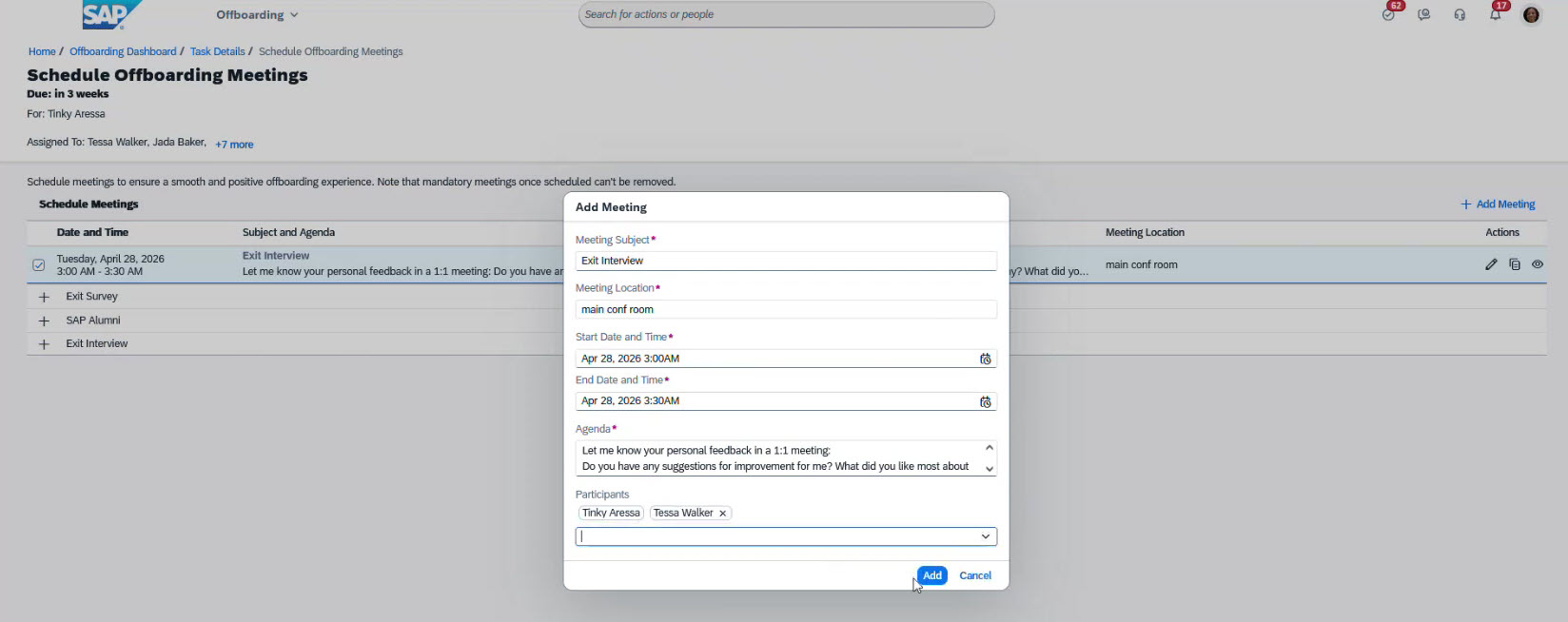
 It contains a complete list of tasks. For example, managers can arrange exit meetings here:

SAP SuccessFactors is a comprehensive suite of software modules addressing all aspects of human resources management. It covers functions like recruitment, HR administration, training, goal setting, and performance evaluation. In this piece, we will explore one module in particular: the Onboarding module.
It standardizes processes for onboarding new employees, internal transfers, and terminations, ensuring reliable task tracking and compliance with internal and legal requirements.
What’s included in the SAP SuccessFactors Onboarding module
The Onboarding module in SAP SuccessFactors covers 3 processes:
-
Onboarding: helping new employees settle in
-
Crossboarding: supporting internal transfers
-
Offboarding: managing the employee termination process
All processes are designed around one key idea: the system automatically assigns tasks and activities to the people involved, tracks deadlines, and helps monitor progress at every stage.
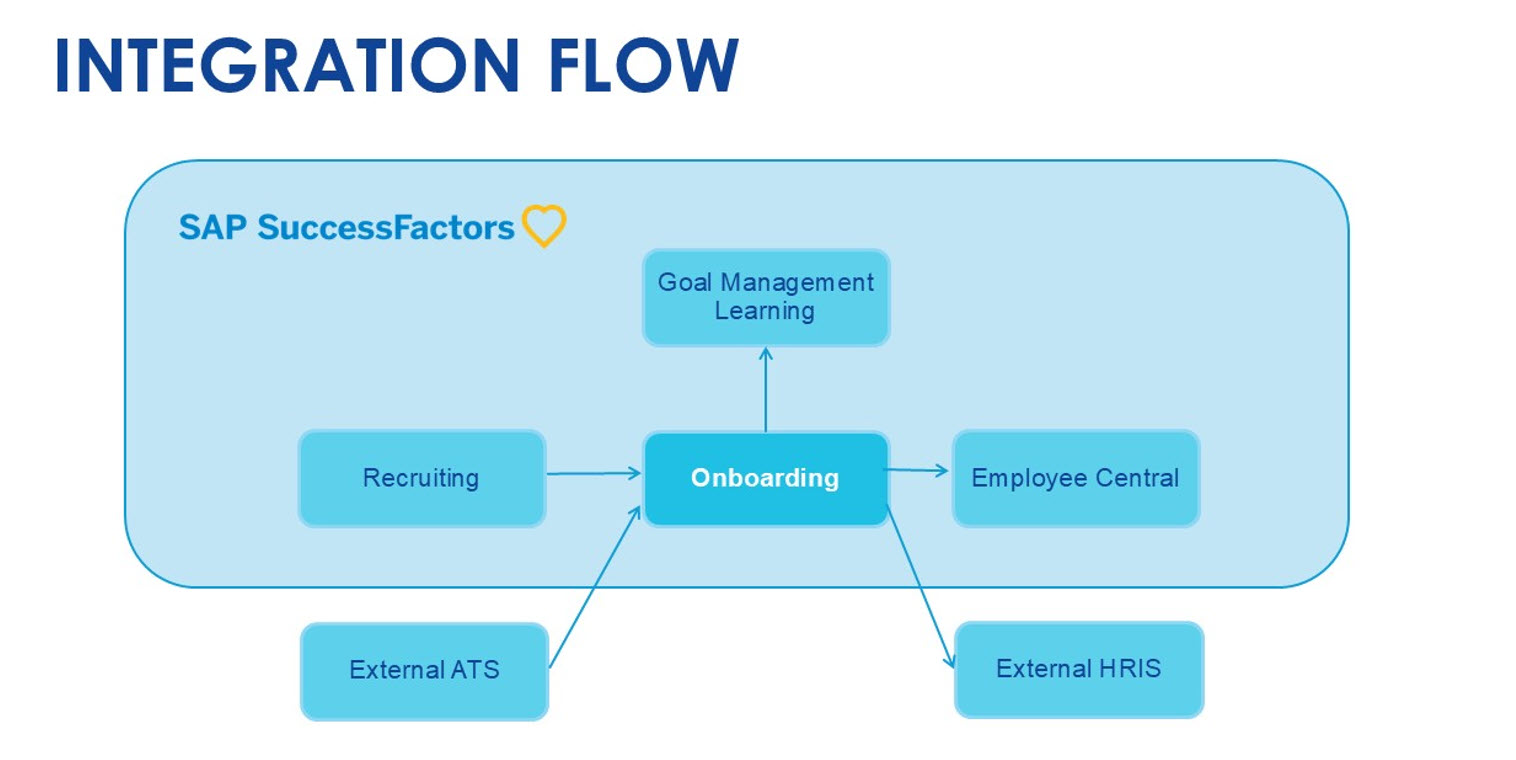
Integration flow of onboarding module in SAP SuccessFactors
Onboarding can start from different sources. It can come from the Recruiting module in SuccessFactors, from an external system, or be launched manually.
During the process, onboarding can connect with other modules, like Goal Management and Learning, supporting tasks and development activities.
At the end, the data is transferred to Employee Central or to an external HR system.
Each customer may have a slightly different setup. The process is most straightforward when everything runs within the SuccessFactors ecosystem.
Onboarding process: New hires adaptation
Onboarding helps new hires join the company smoothly and be ready for day one.
A typical onboarding process consists of these steps:
-
Initiation of the onboarding process
-
Entering the new hire’s data
-
Collecting personal and additional information (prior to the start date)
-
Assigning tasks to the onboardee and the onboarding team
-
Completing required documents and forms (legal and tax documents)
-
Transferring data to Employee Central or another HR system
Note: SAP SuccessFactors already includes compliance forms for some countries out of the box.
As a result of all these actions, the candidate becomes an employee.
The process is simple, structured, and easy to manage. Let’s see how it looks directly in SAP SuccessFactors:
Onboarding in SAP SuccessFactors: HR side
To launch the process manually, you can begin by entering the employee’s basic information. Add contact and company details, and assign a Hiring Manager.
The screenshot below illustrates the screen for creating a new onboarding process:
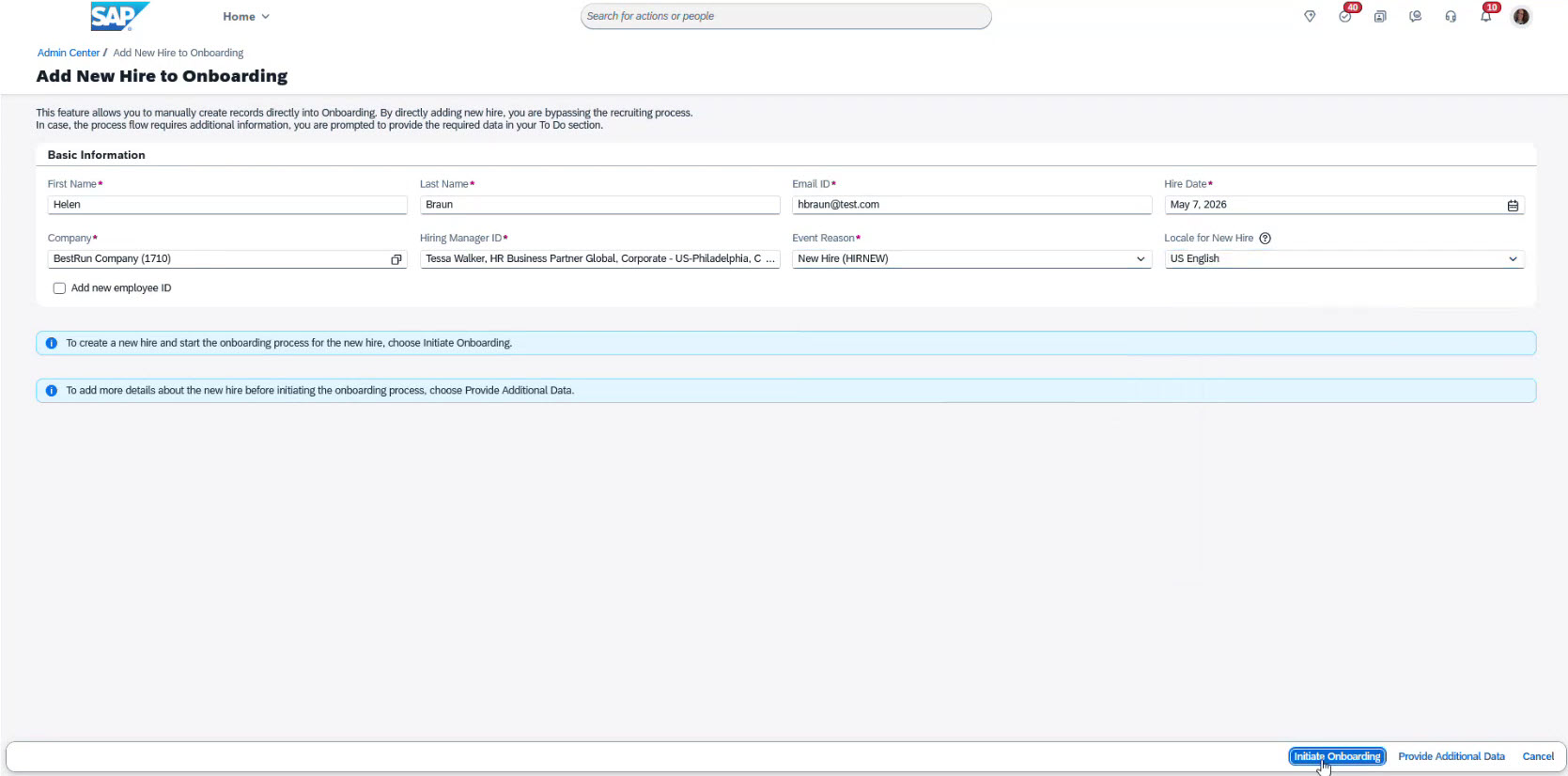
Once saved, the process is available to all participants at their steps.
Onboarding in SAP SuccessFactors: Hiring Manager side
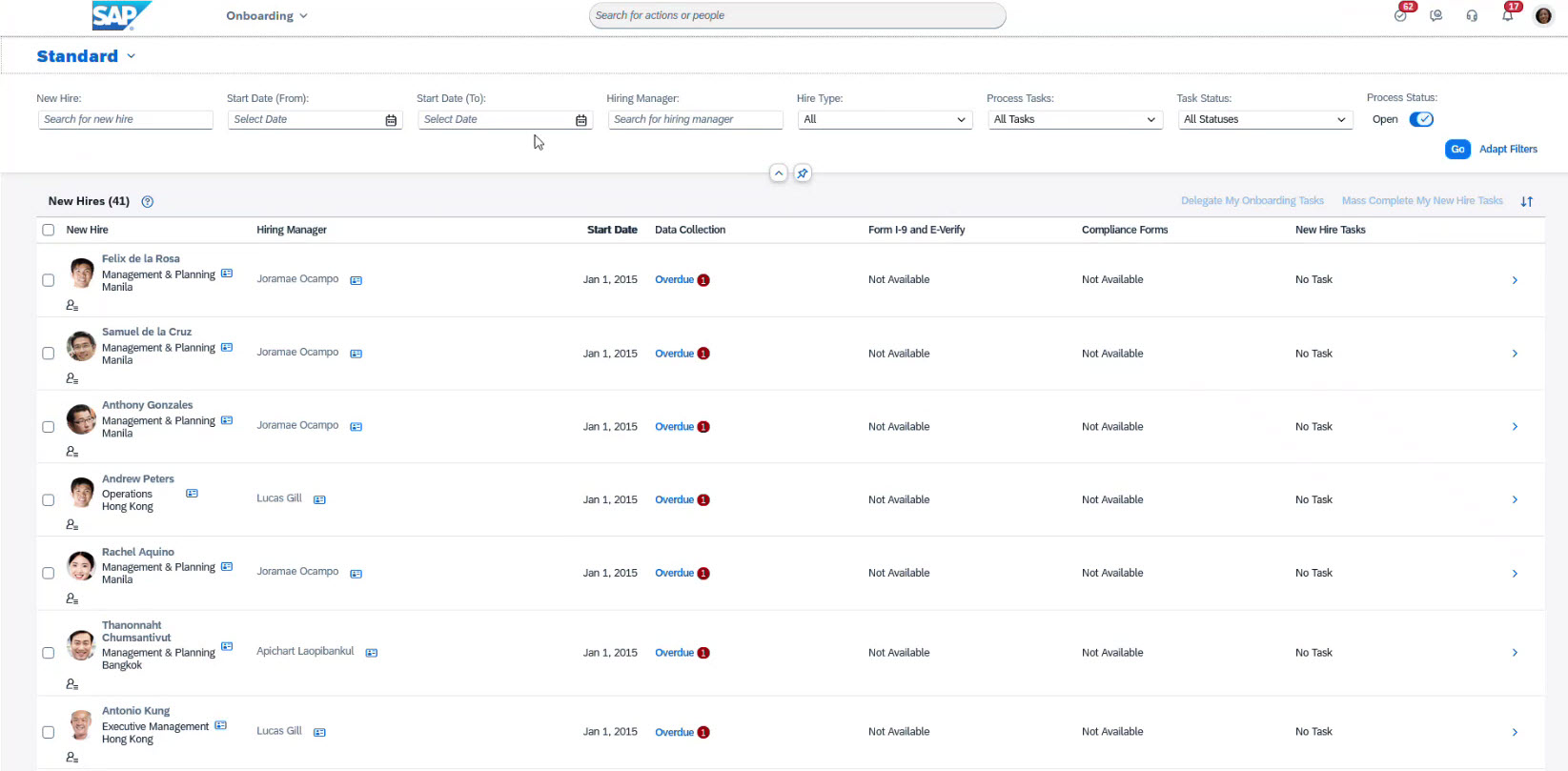
Once assigned, the manager can access the new onboardee in the Onboarding Dashboard, which displays all the onboarding processes. Here, the manager can:
-
Search by name
-
Use filters
-
Track task statuses
-
Monitor onboarding progress
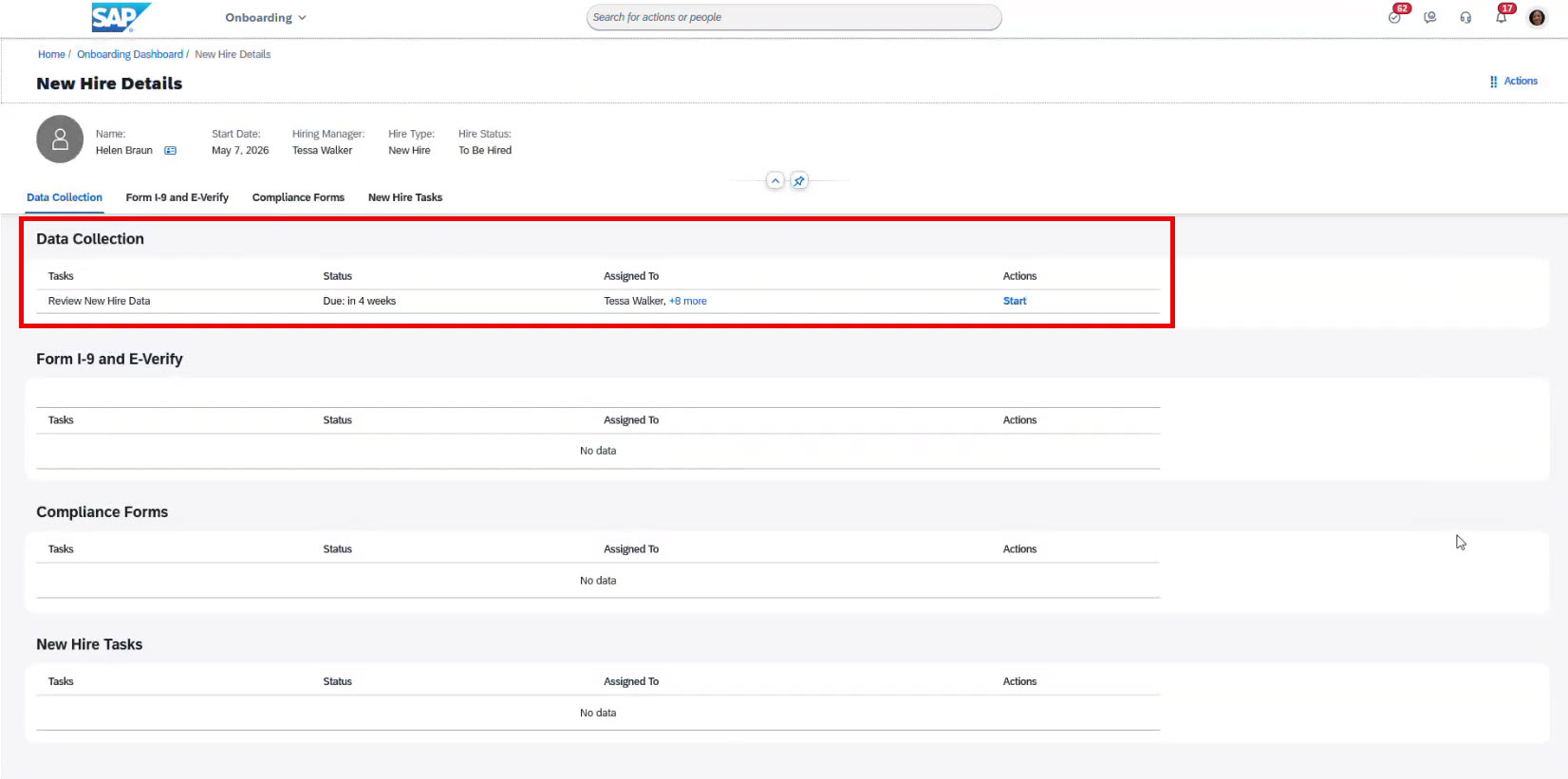
Selecting New Hire Details, the manager opens a detailed process card for each onboarding.
The card displays information about the selected onboardee and shows their current onboarding stage and a list of assigned tasks.
To proceed, the manager selects an assigned task and clicks Start.
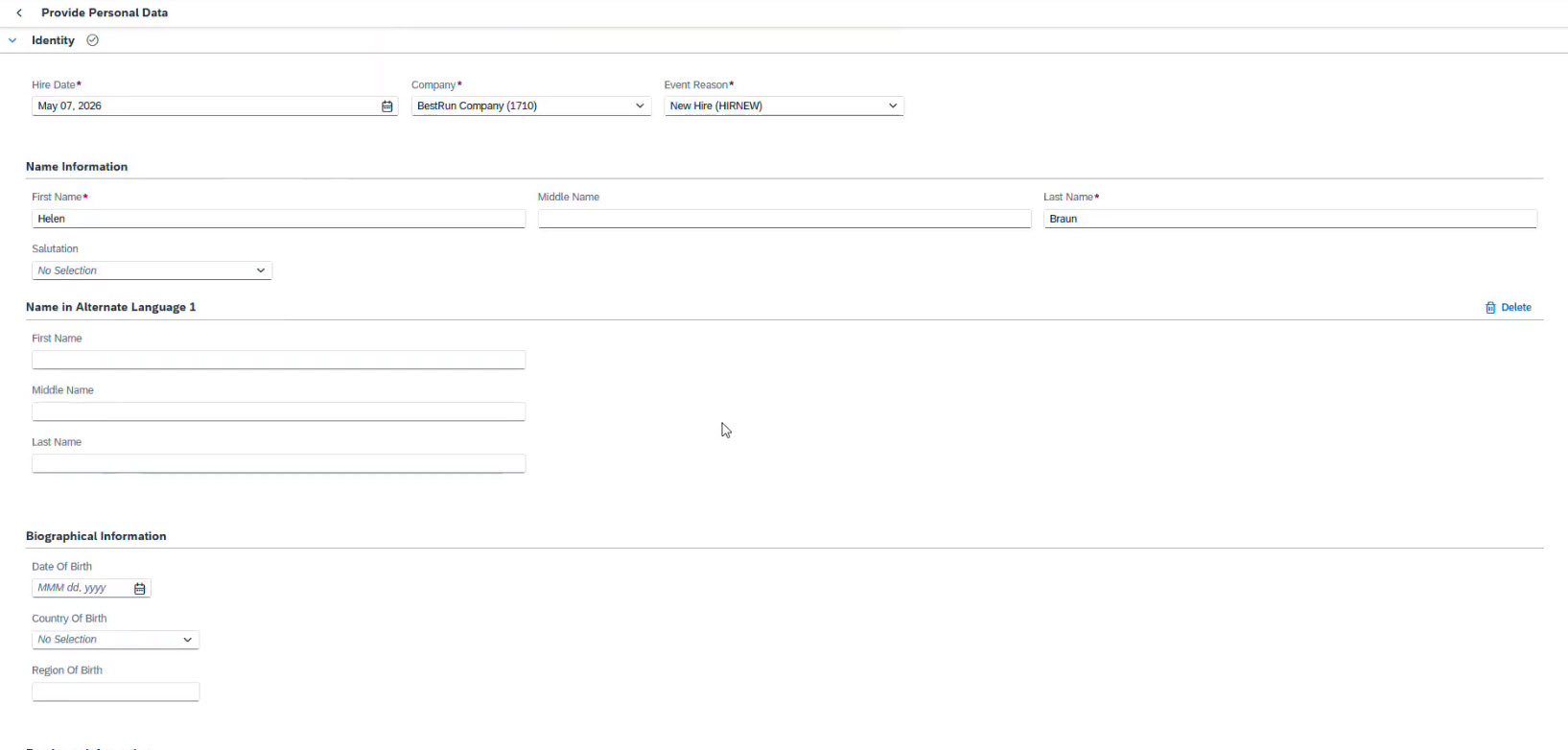
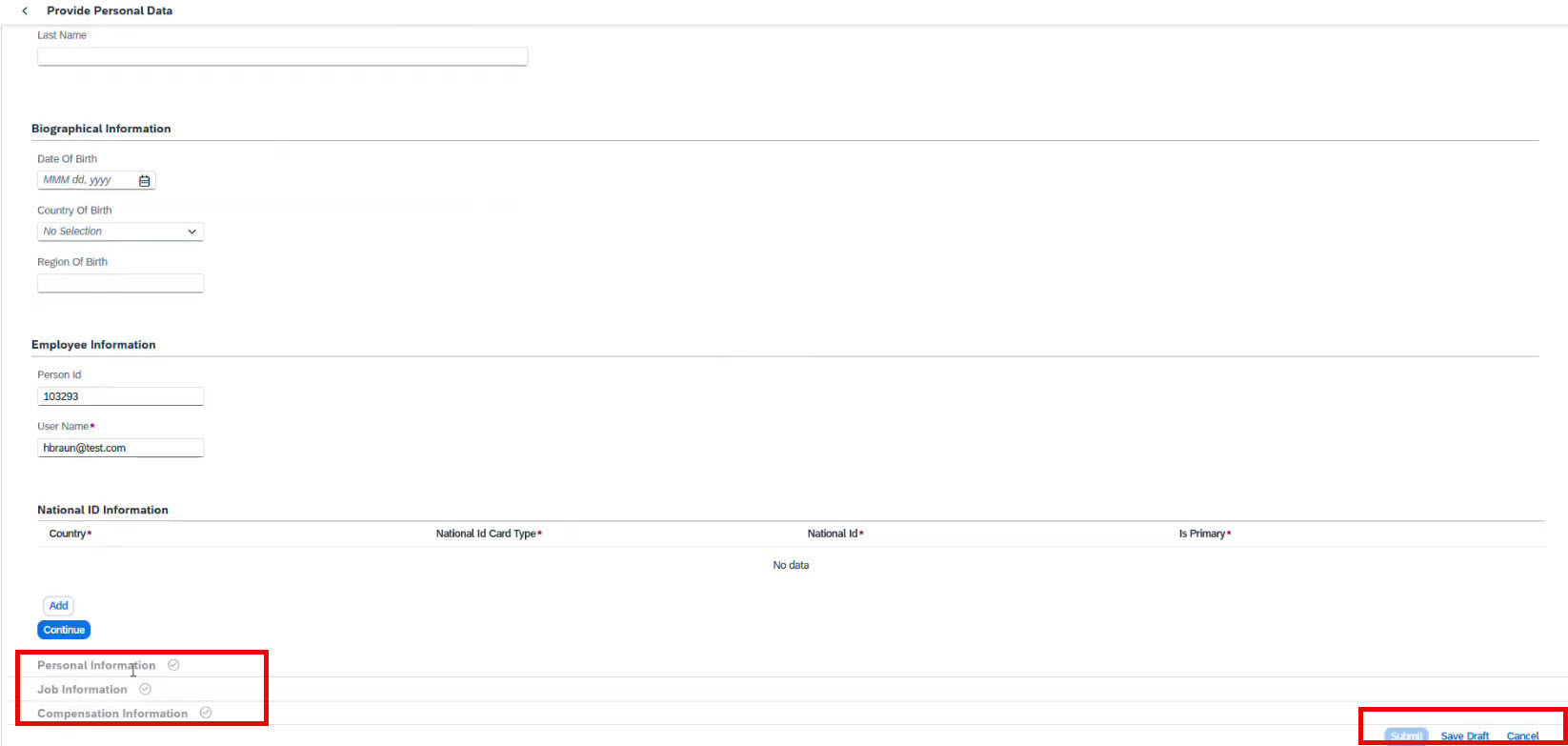
After that, a new screen appears with all relevant details for the selected task.
Here, the system indicates which fields are complete and which require additional information.
When the task is finished, the manager clicks Submit.
The task status changes to “Completed,” and the process moves to the next step.

Common onboarding tasks
SAP SuccessFactors streamlines both administrative and onboarding tasks for new employees within a team.
For example, a manager can:
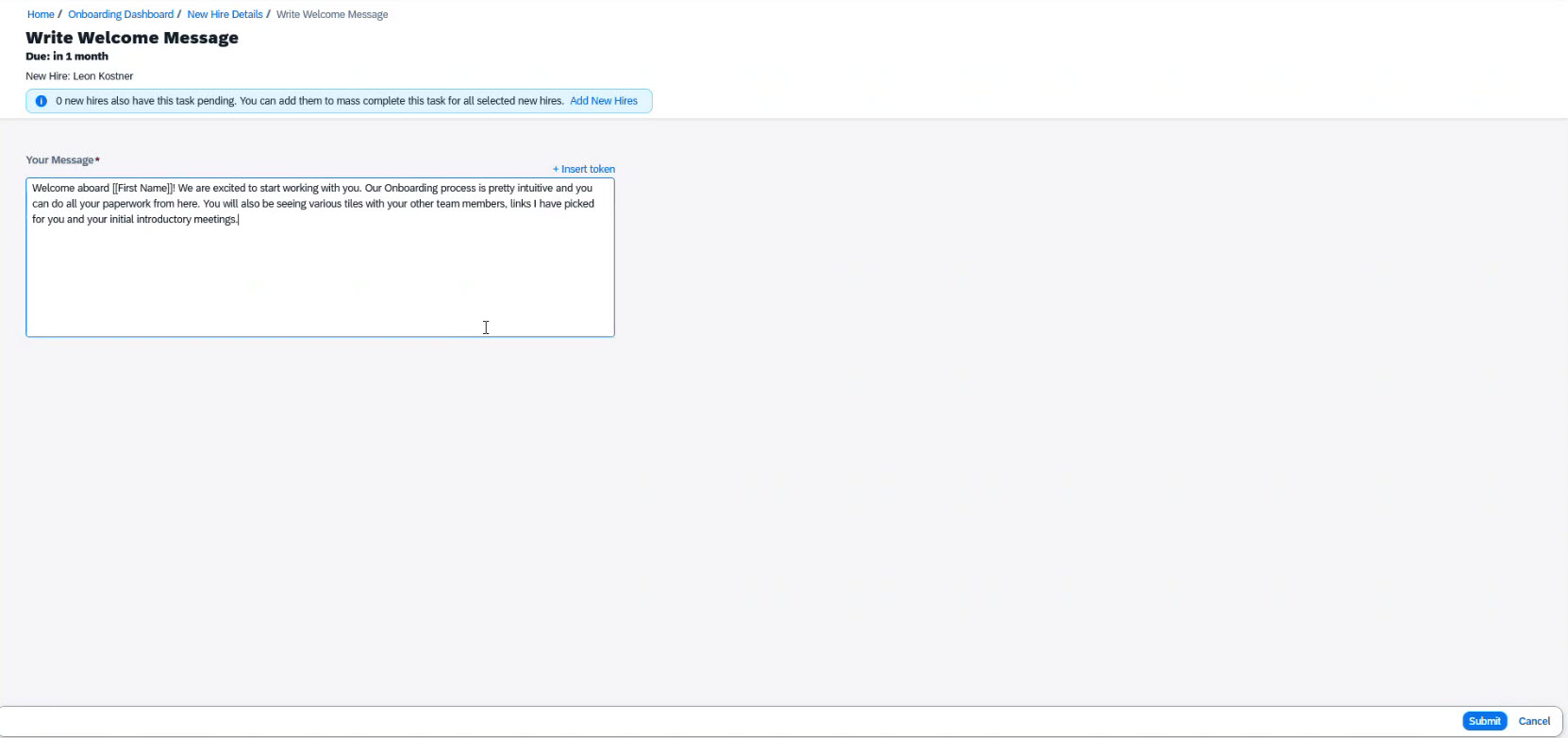
- Write a welcome message
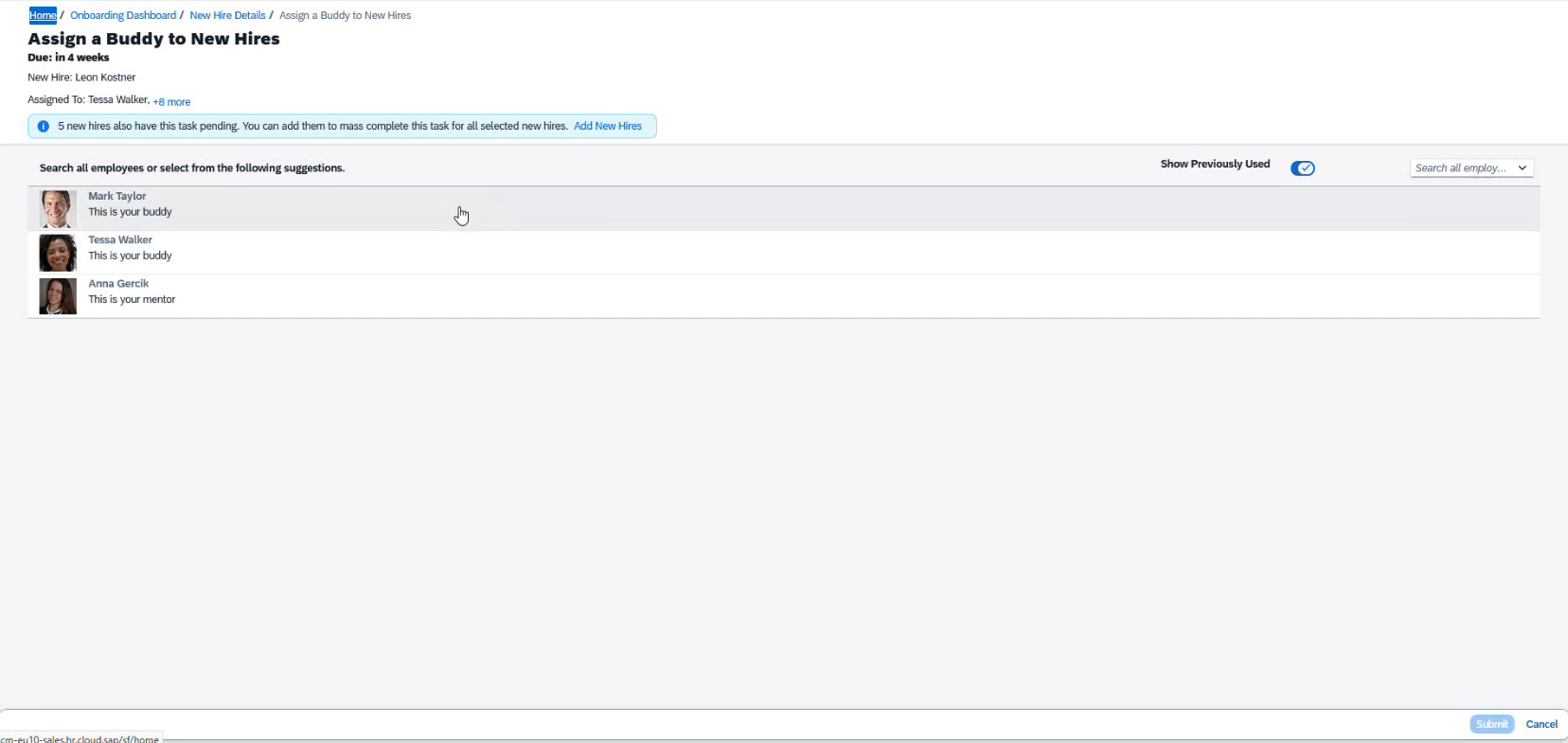
- Assign a buddy
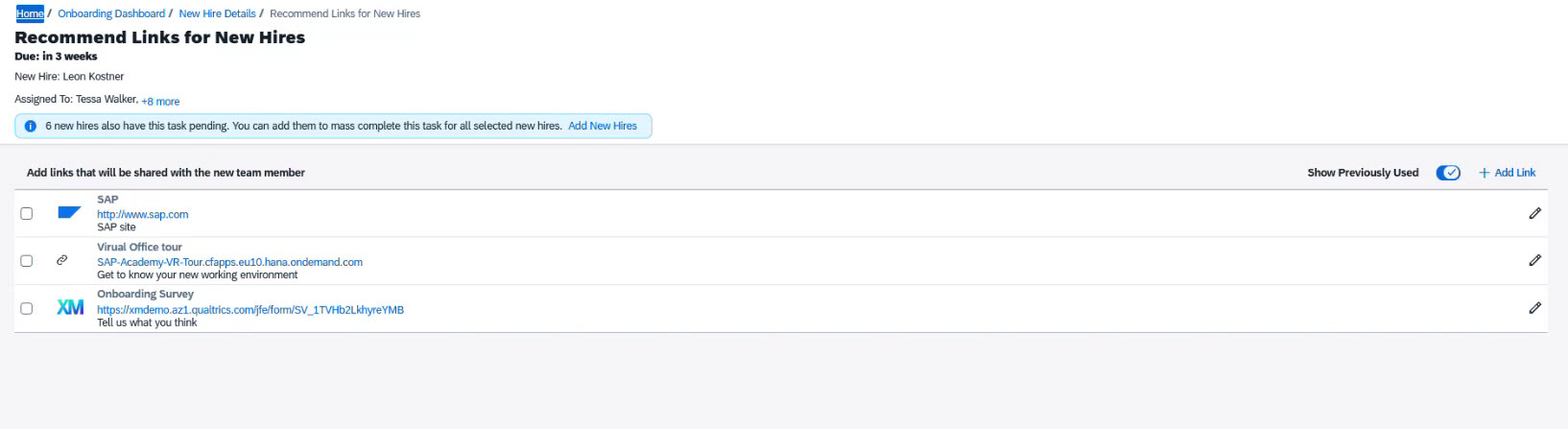
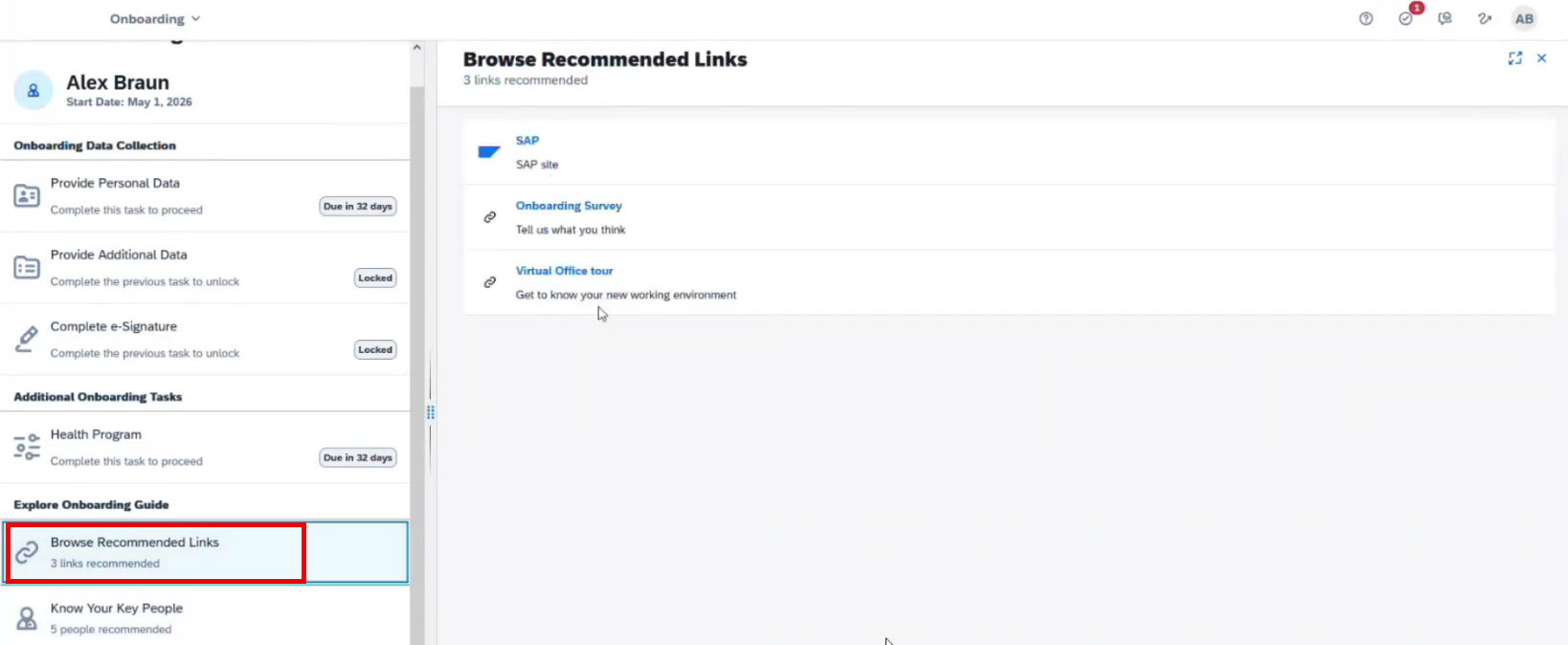
- Make a section with recommended links
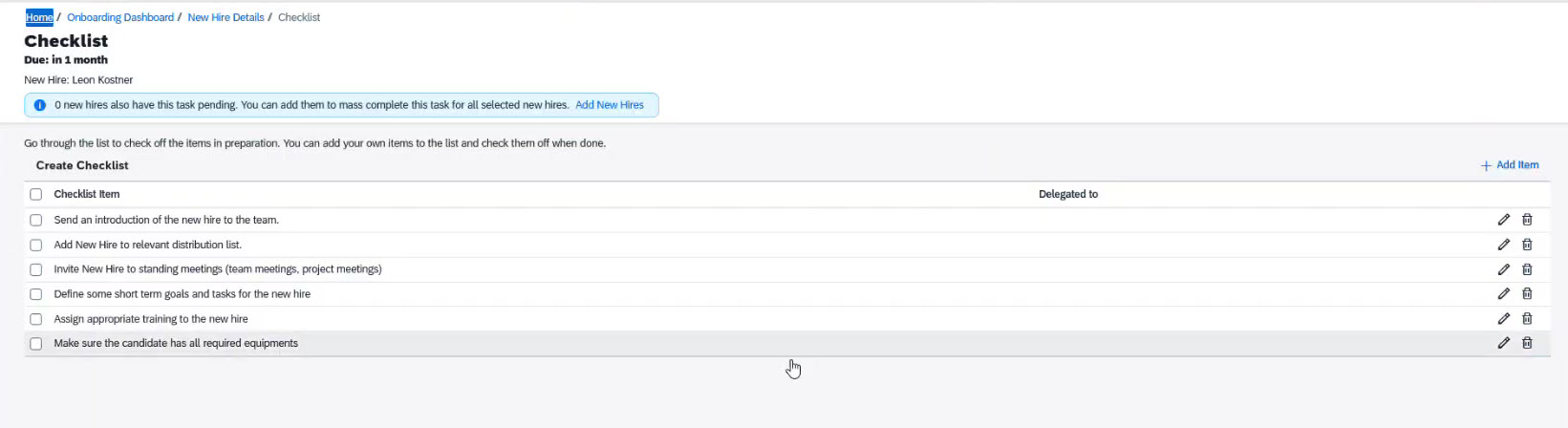
- Create a checklist
- Request equipment for a new hire
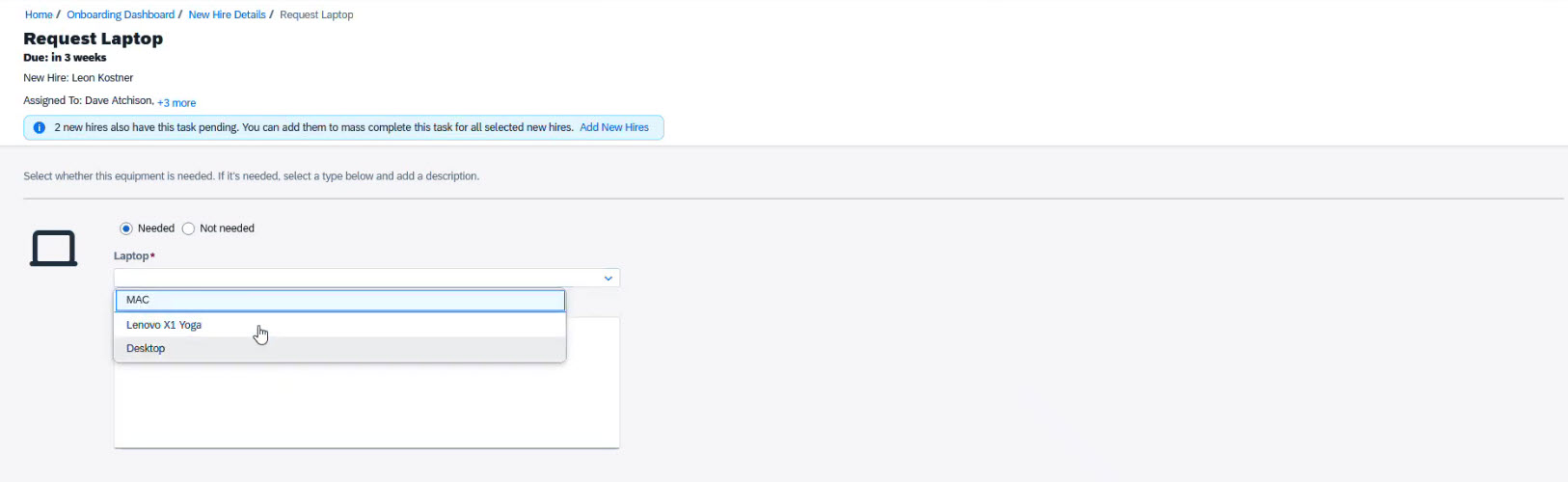
These are the most common tasks. At ACBaltica, we can create custom tasks for your business needs directly in SAP SuccessFactors.
Onboarding in SAP SuccessFactors: Onboardee side
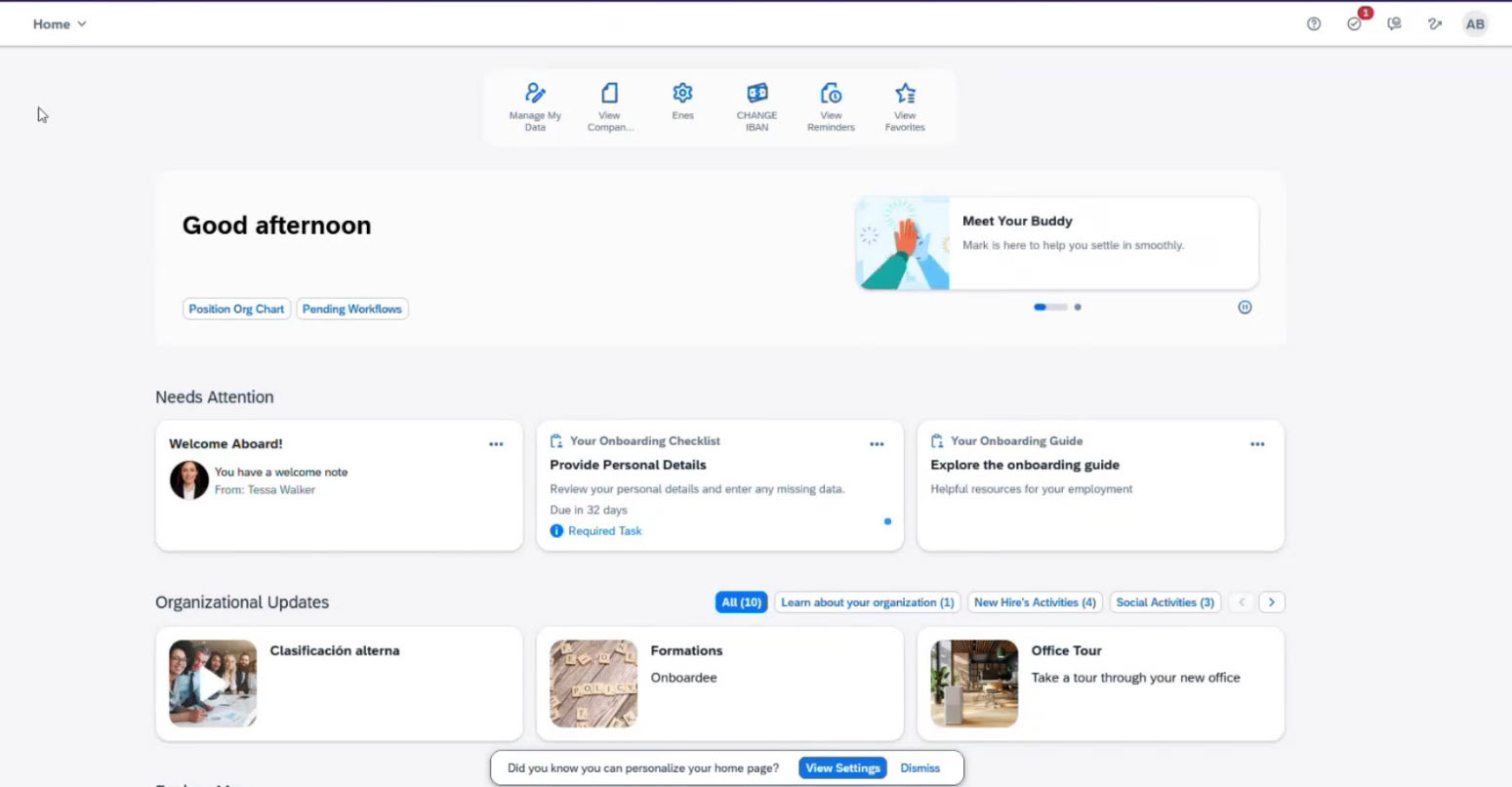
New employees gain access to their onboarding process in SAP SuccessFactors once the Hiring Manager enters their Job Info. They can view all assigned activities and access the same data as the onboarding team.
Through the interface, new hires can:
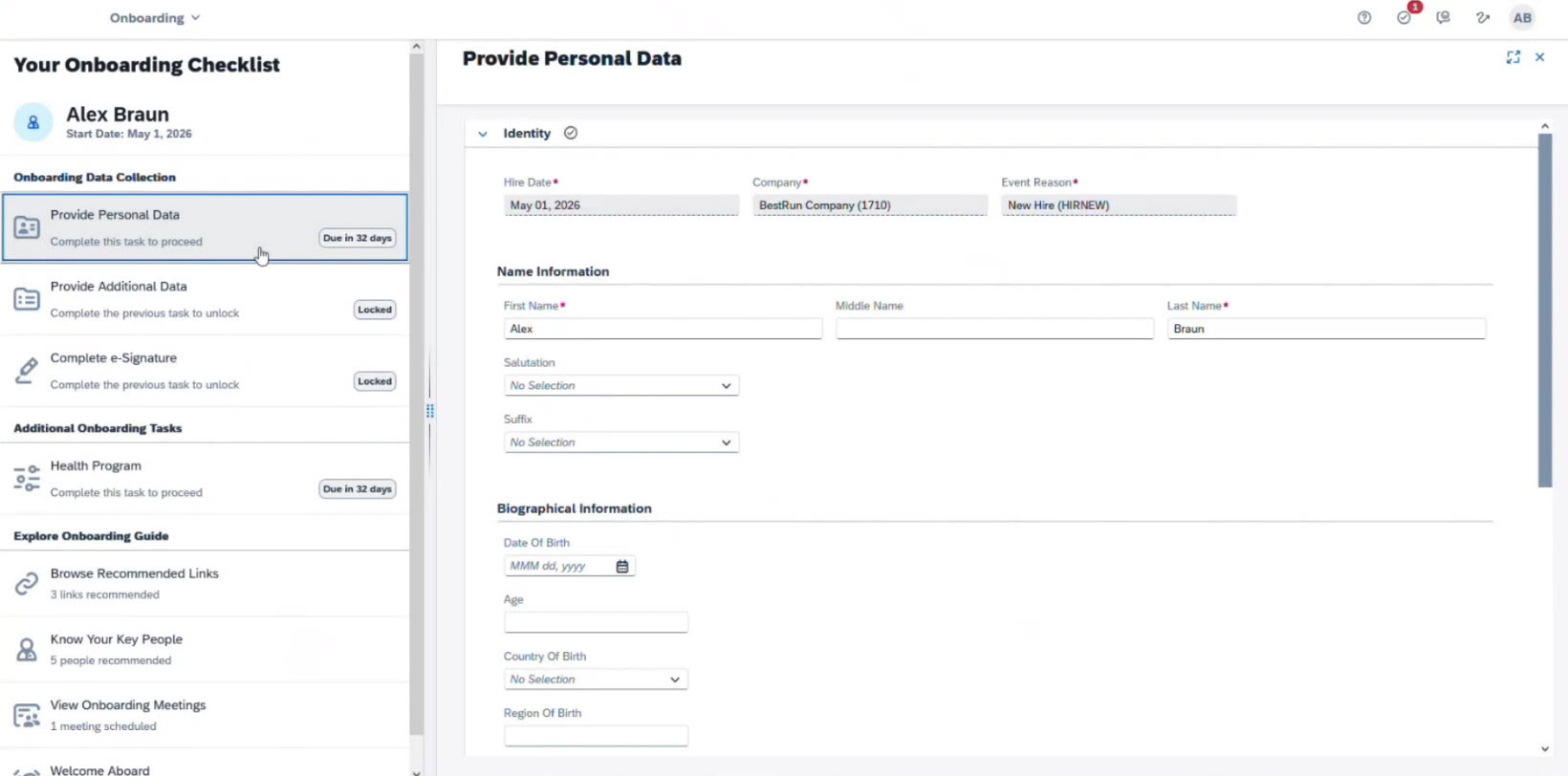
- Enter or correct already entered personal information
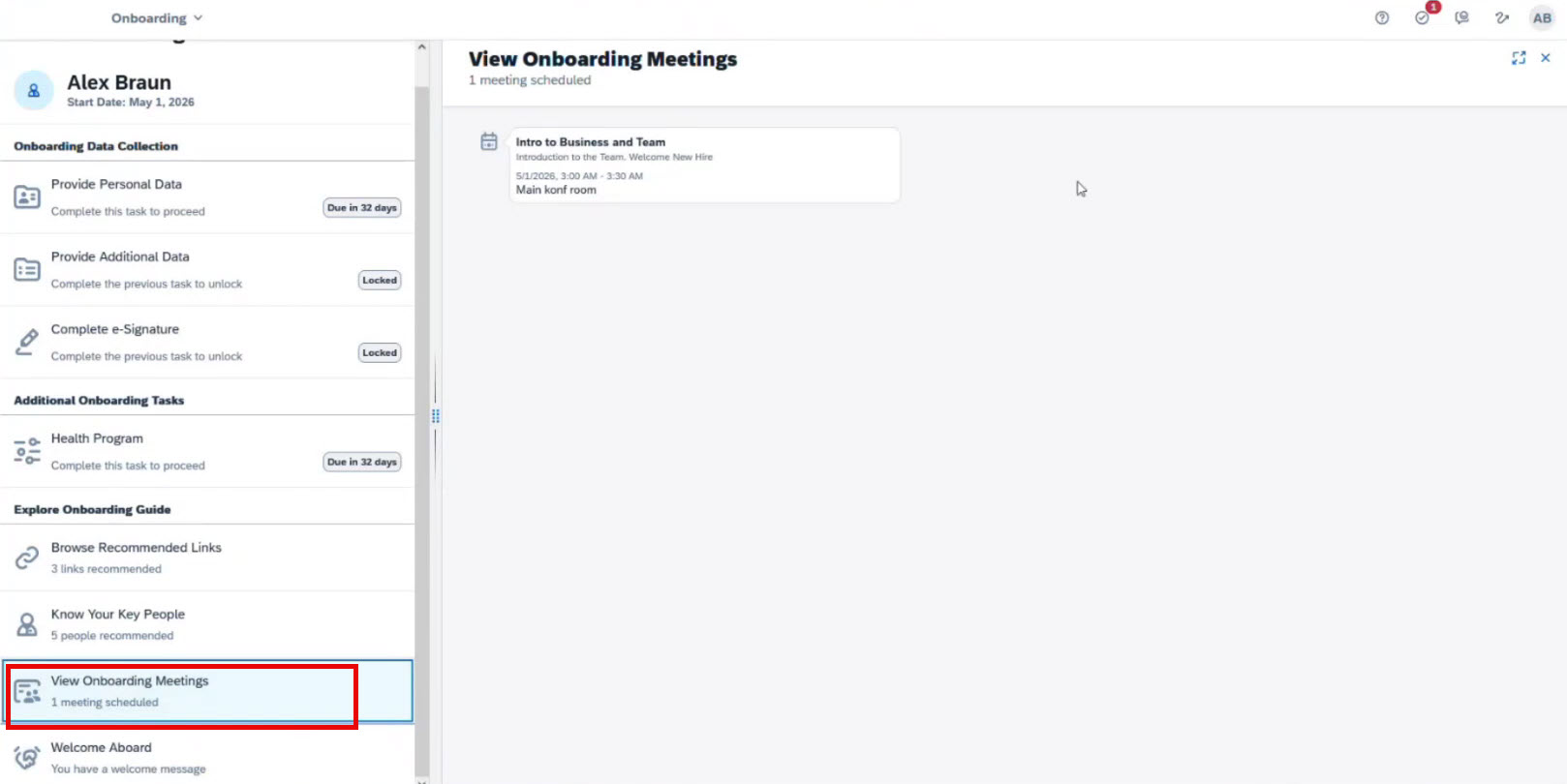
- View the onboarding meetings schedule created by the Hiring Manager
- Access helpful resources
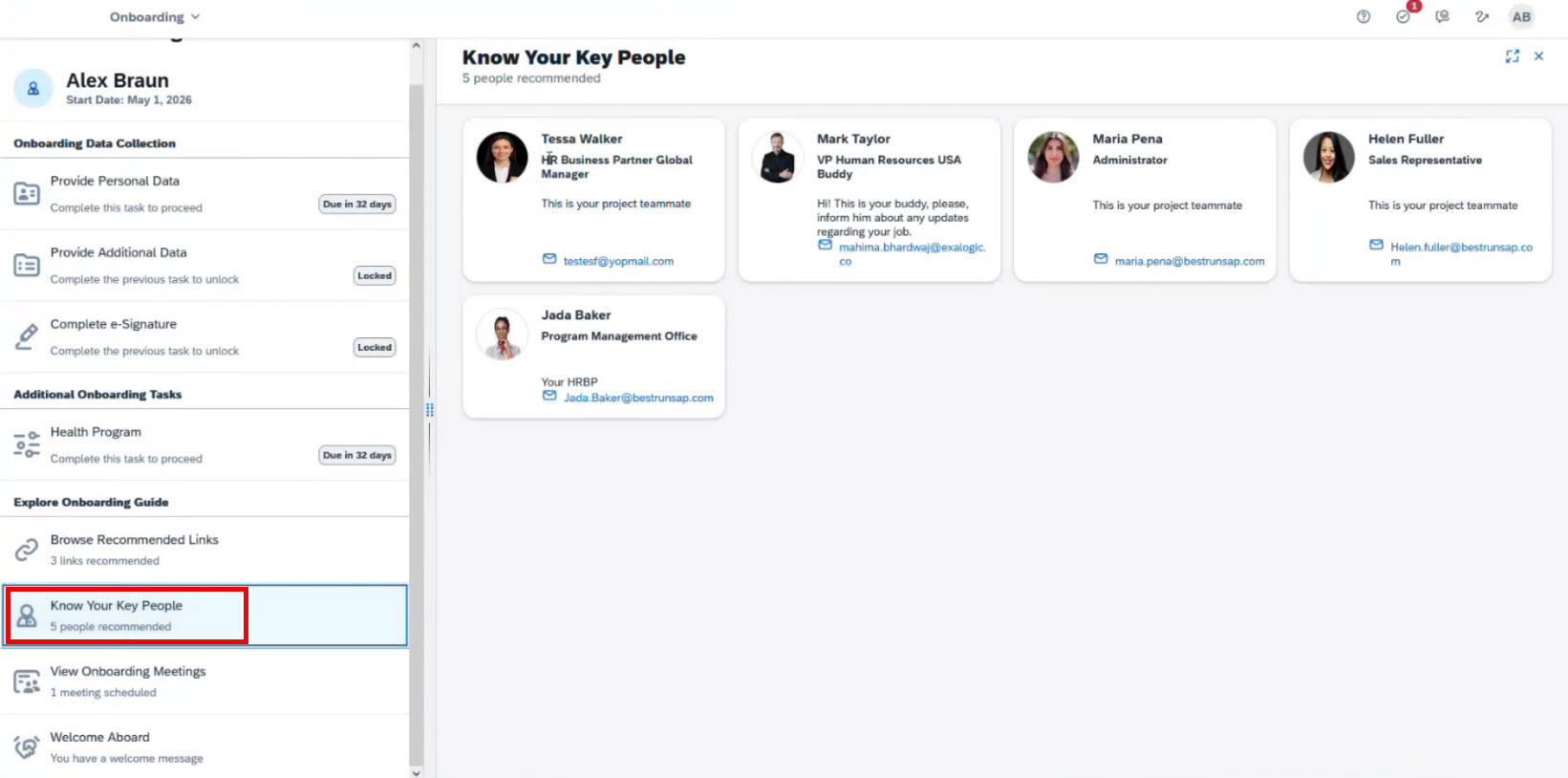
- View key contacts
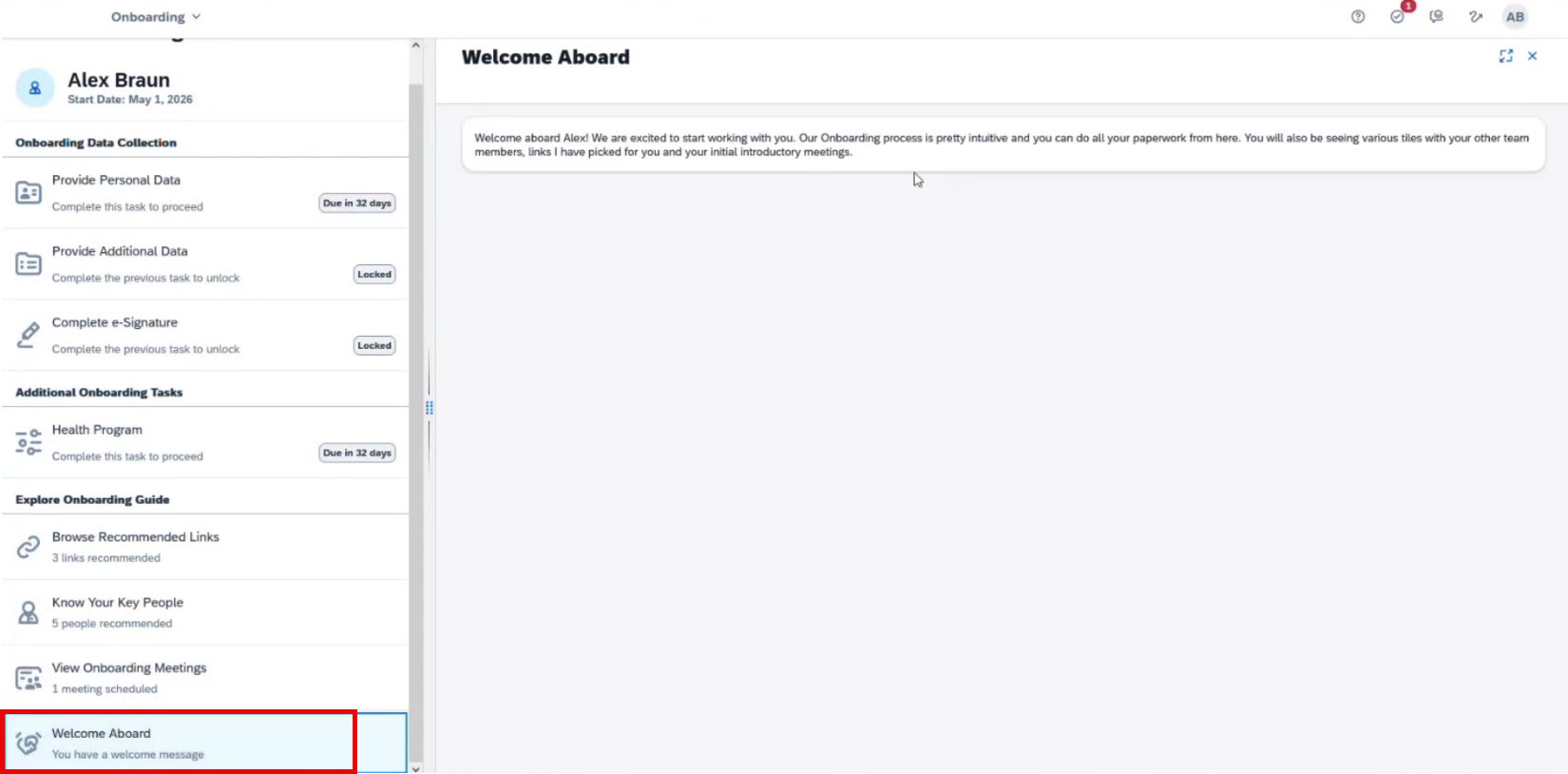
- If a manager prepares a welcome message, the employee will see it in the Welcome Aboard section
Crossboarding process in SAP SuccessFactors
Crossboarding happens when an employee moves to a new role within the company.
The process is similar to onboarding but simpler, as most employee personal data is already in the system. This results in fewer steps and less data collection. Steps can be customized as needed.
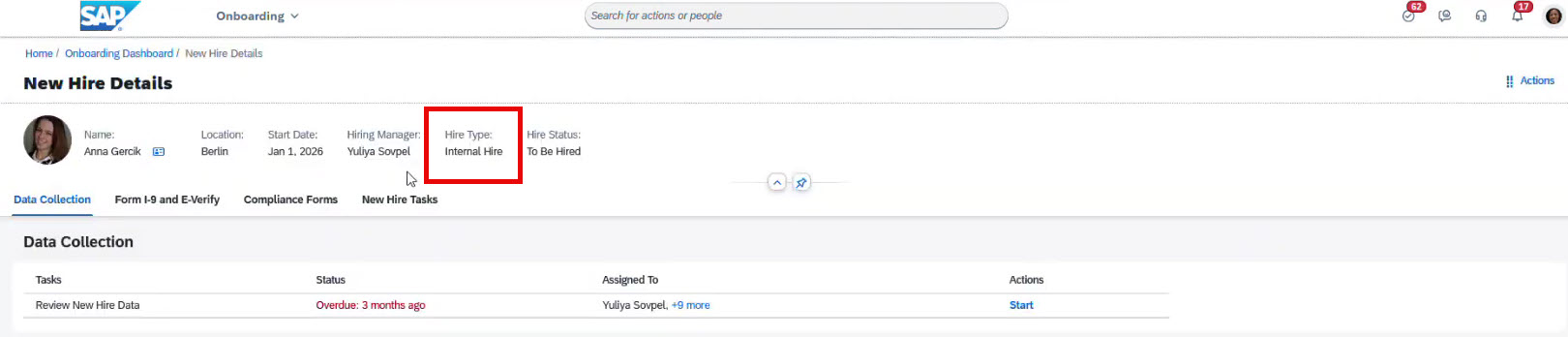
New hires and crossboarding participants are distinguished by hiring type. Crossboarders have the status of Internal Hire, as only current employees can be crossboardered.
Crossboarding in SAP SuccessFactors: Management side
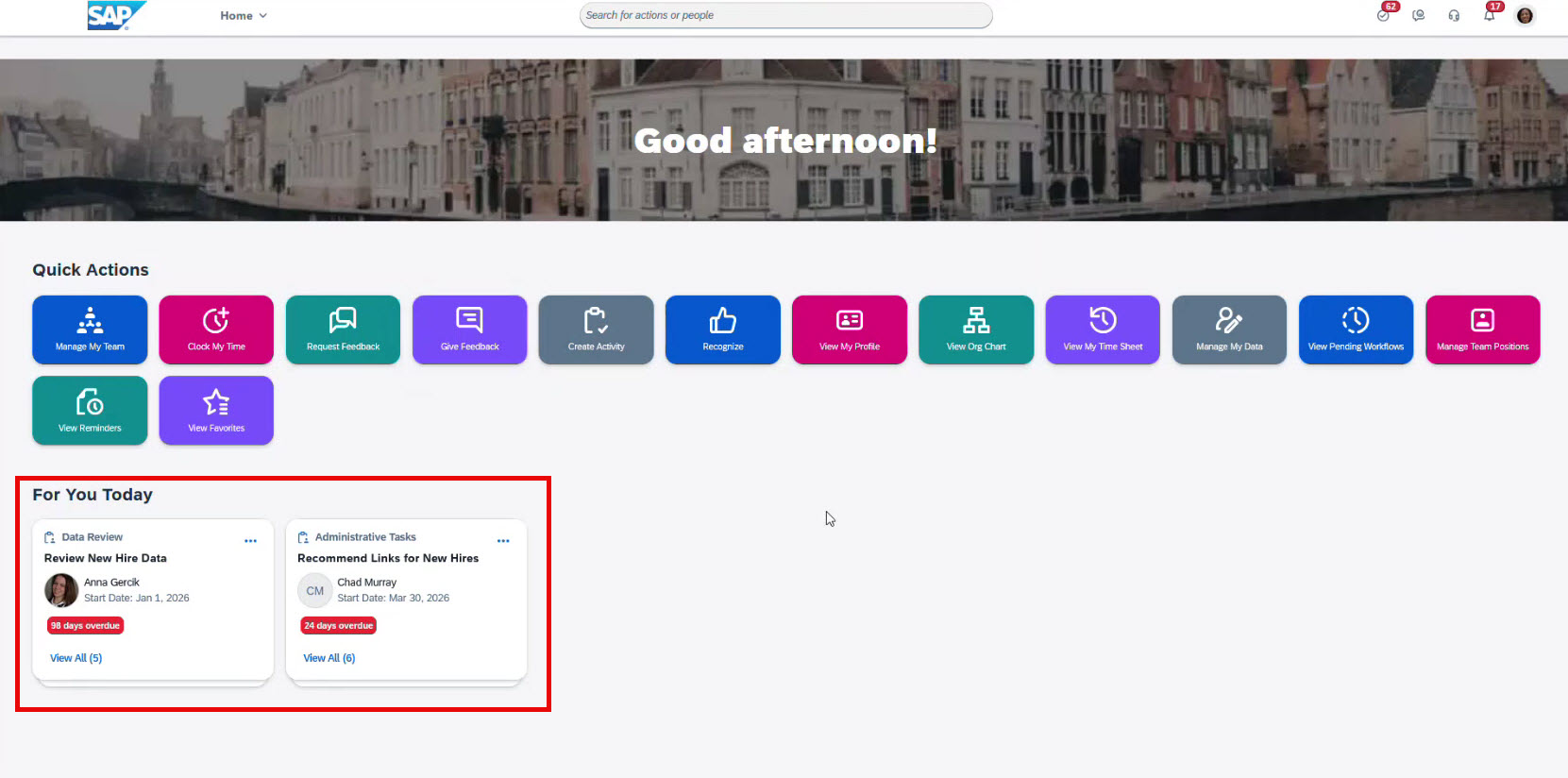
There are Data Review and Administrative Tasks cards on the main page.
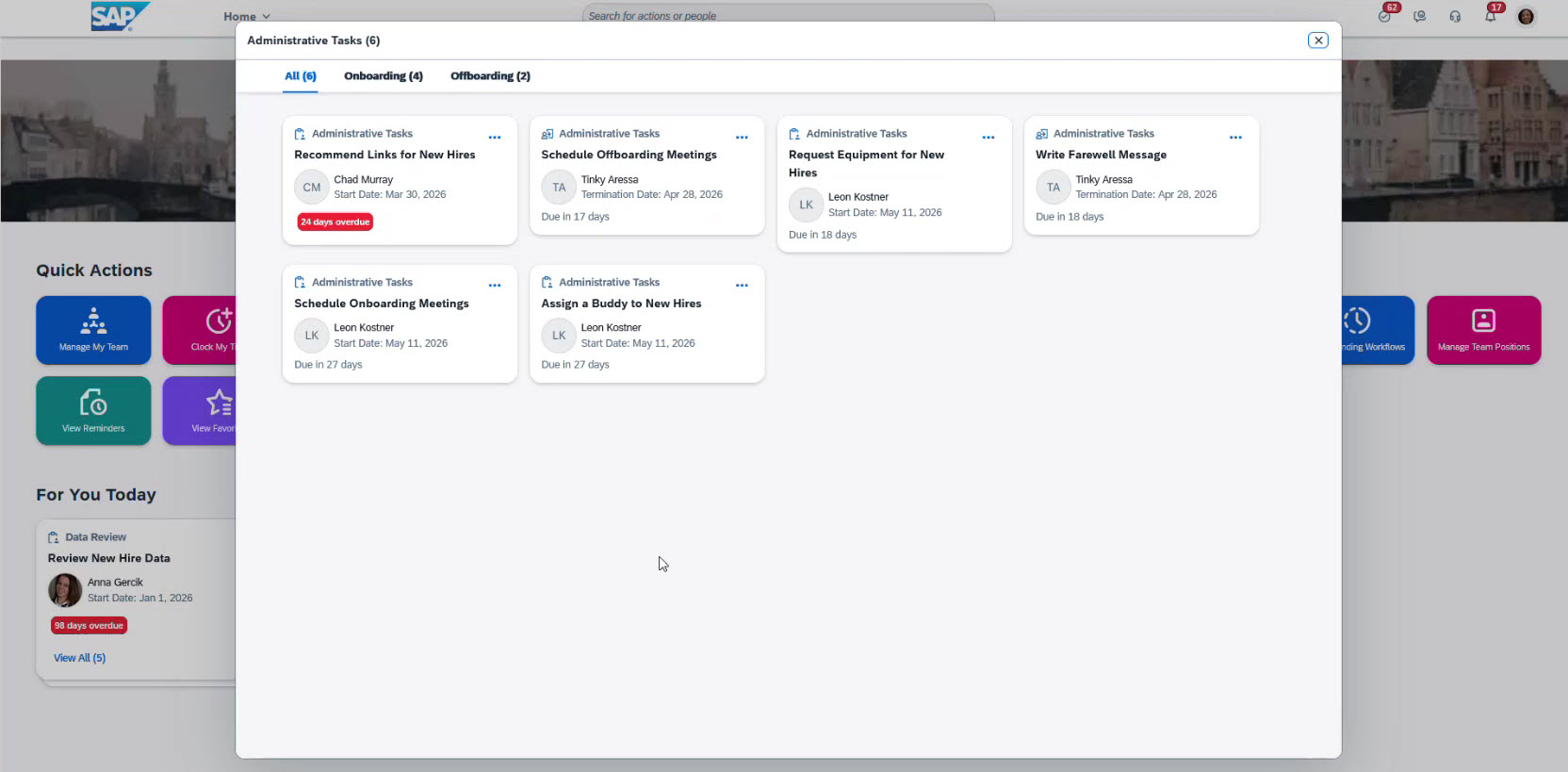
By clicking View All in Administrative Tasks, an onboarding team can explore all available tasks, filtered by processes.
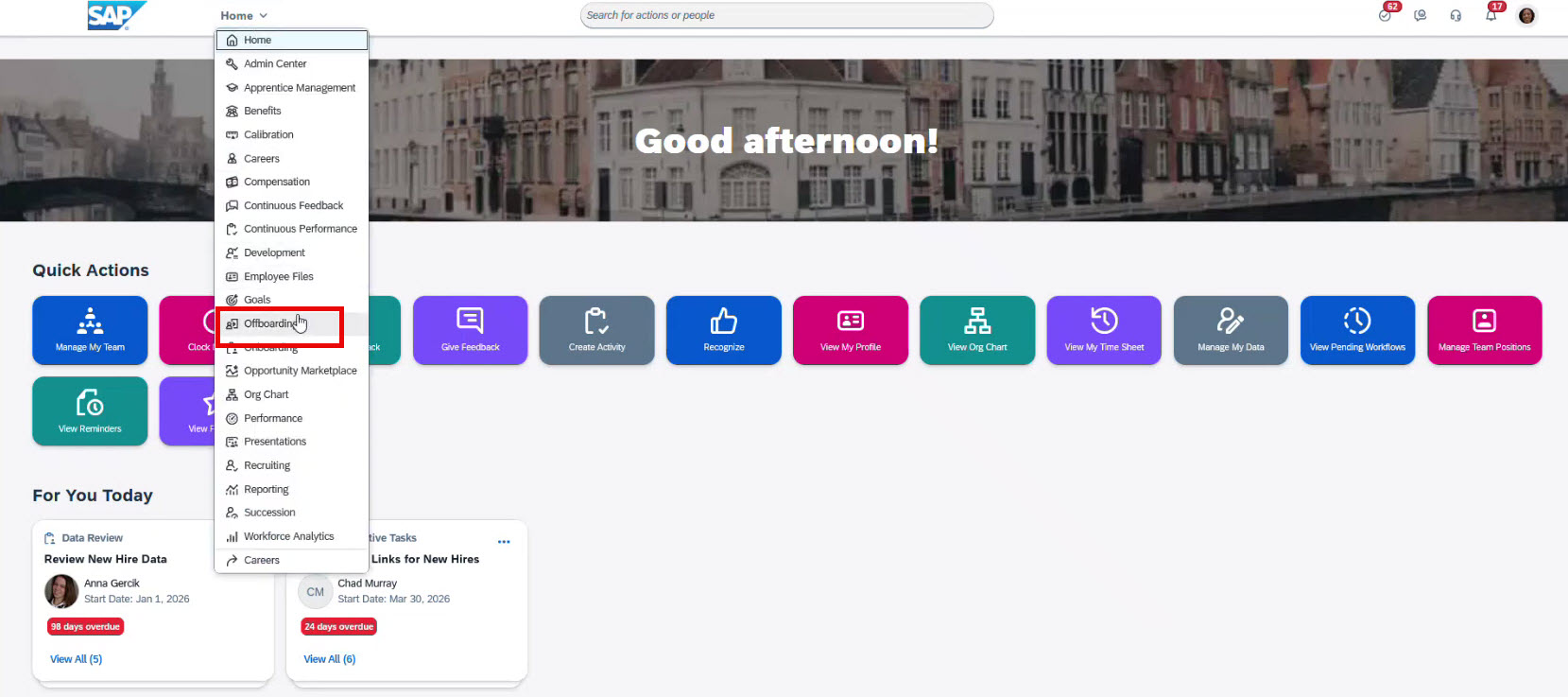
Managers can easily navigate between onboarding, crossboarding, and offboarding from the top menu.
The available tasks are the same as in onboarding: when data collection is completed, management still needs to review employee data and update any required information. And the system takes care of the rest, assigning tasks to support the transition. These tasks can be standard or customized, depending on your business needs.
Crossboarding in SAP SuccessFactors ensures a smooth and structured internal move.
Offboarding in SAP SuccessFactors
Offboarding manages an employee’s exit from the company. The process is simpler than onboarding or crossboarding and involves fewer steps.
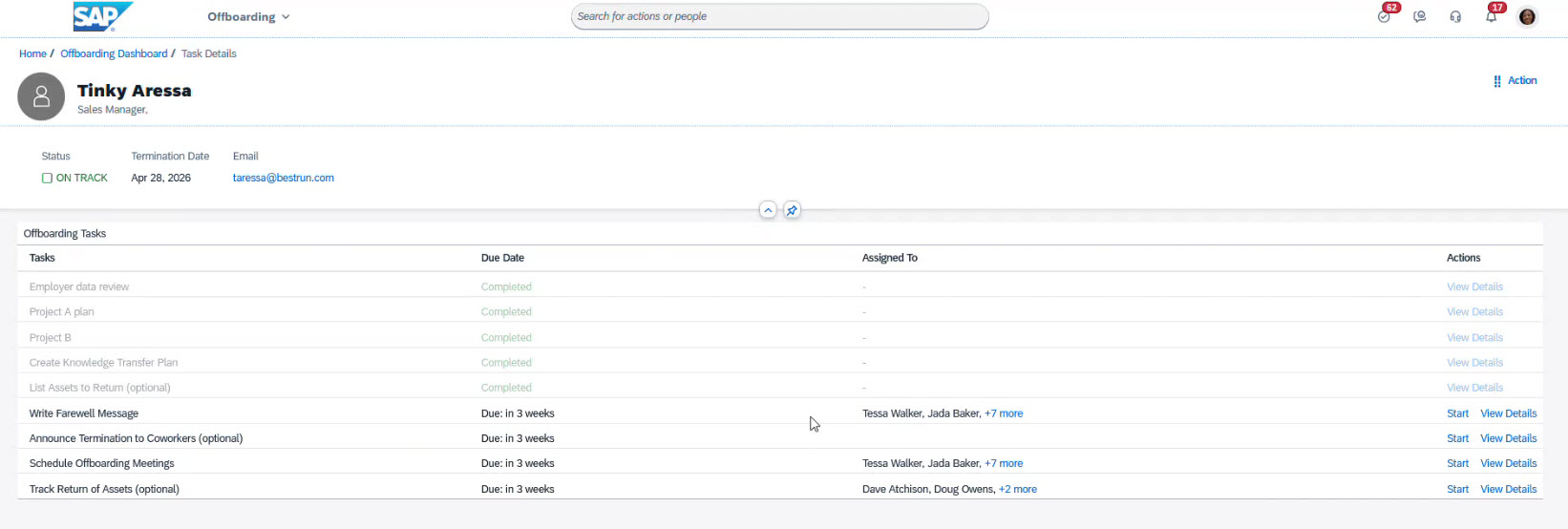
It includes manager and employee data review, document handling, and offboarding tasks. These can include farewell messages, team announcements, knowledge transfer, meetings, and equipment return. The process can also be customized as needed.
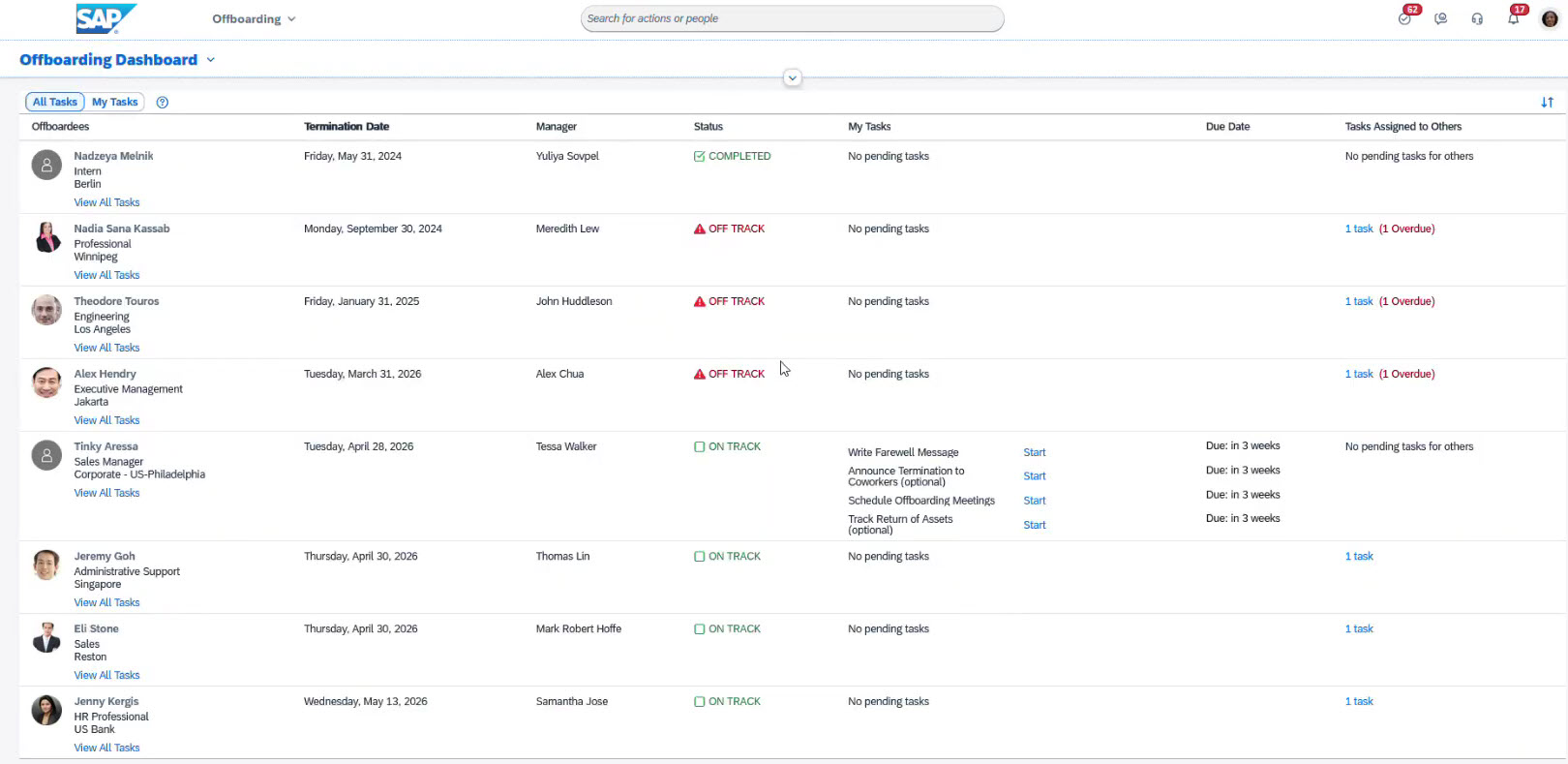
Offboarding has a separate Dashboard in SAP SuccessFactors.
The offboarding dashboard displays termination dates, assigned managers, status, tasks, and due dates for each offboardee.
By clicking on View All Tasks, the system opens a separate window dedicated to the selected offboarding process:
Managers can also track returned assets directly within tasks: 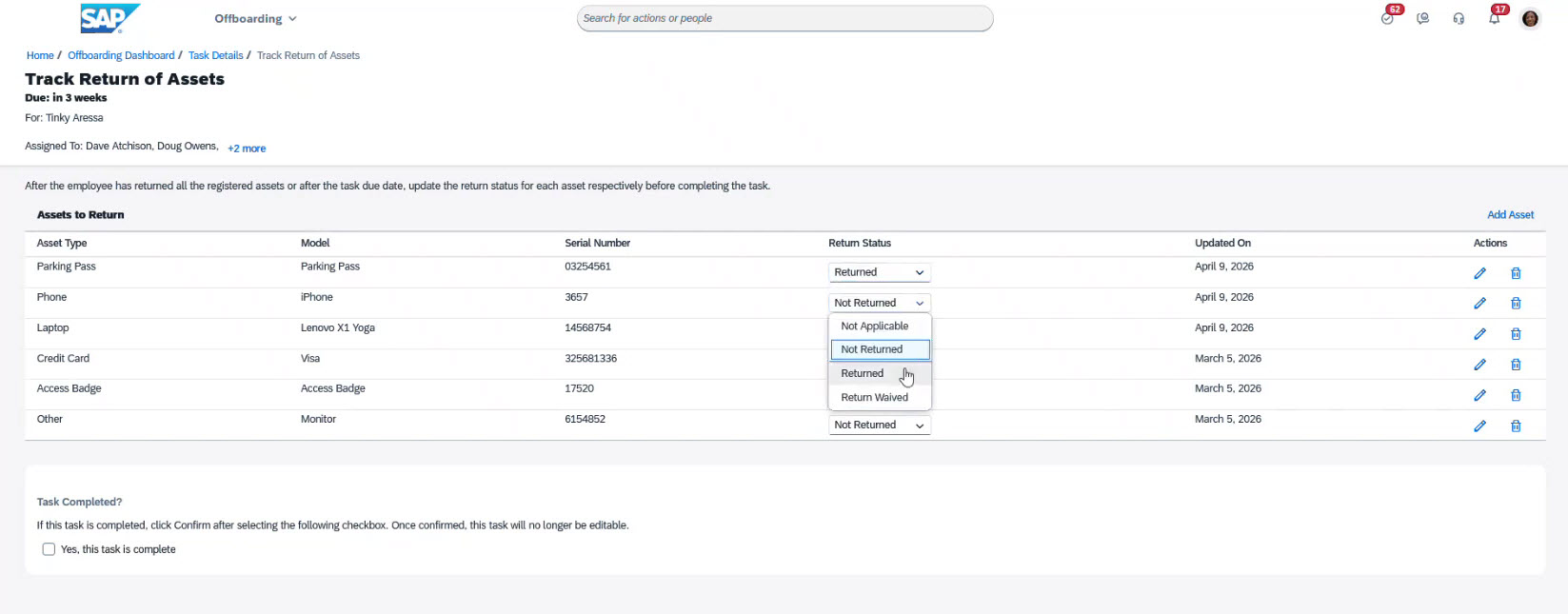
Once all tasks are marked as Completed, the offboarding process is considered successful.
AI Tools in SAP SuccessFactors Onboarding module
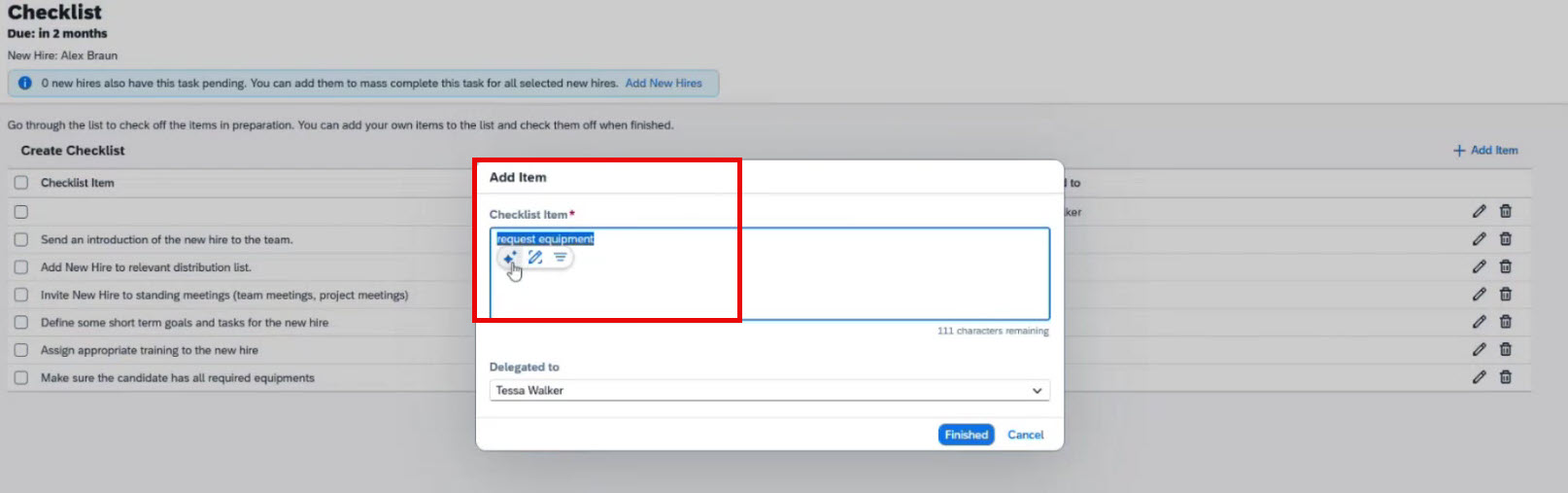
The Onboarding module in SAP SuccessFactors includes a built-in AI tool for editing text. It helps draft messages, instructions, and other onboarding text materials quickly.
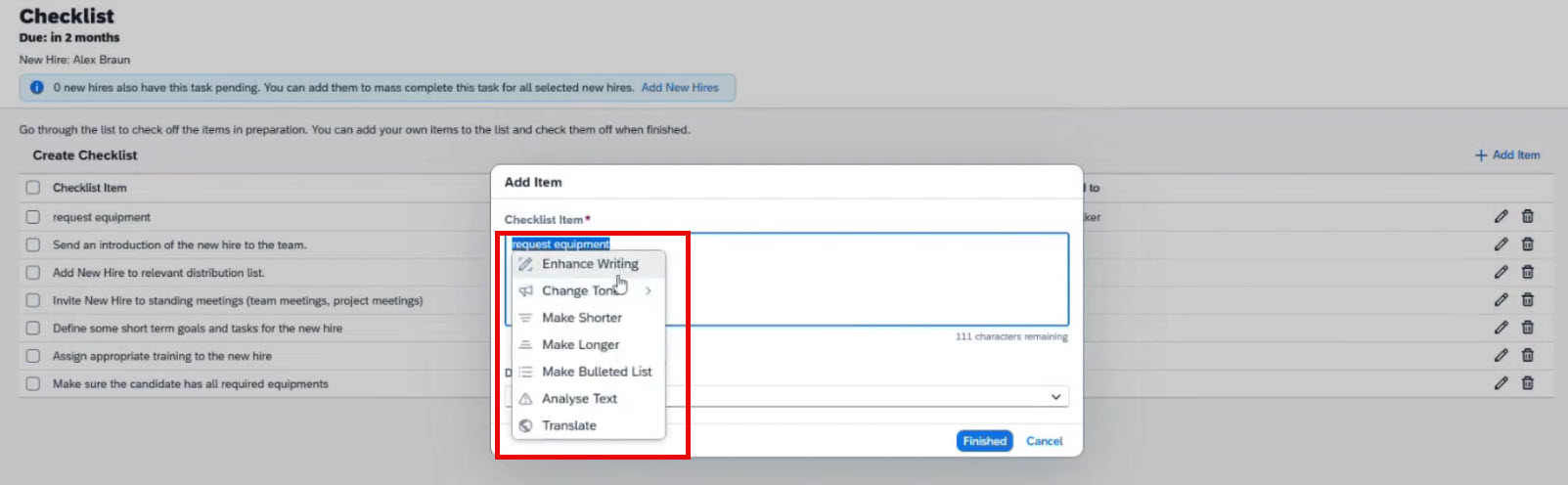
The process is simple. Users enter text, select it, and choose the Use AI Capabilities option.
The system then displays the available features:
-
Enhance writing: improves grammar, wording, and clarity
-
Change tone: adjusts tone (professional, personal, constructive)
-
Make shorter: condenses text for greater conciseness
-
Make longer: expands text with more detail
-
Make bulleted list: turns unstructured text into easy-to-read bullet points
-
Translation: translates text from American English into 46 supported languages, offering full translation between English, German, French, Spanish, Portuguese, simplified Chinese, and Japanese
-
Analyze text: checks for bias or harmful language and suggests safer wording
Key benefits of SAP SuccessFactors onboarding module
-
Seamless integration with other SAP SuccessFactors modules: all data moves seamlessly between modules without manual re-entry.
-
Unified process flow: onboarding, crossboarding, and offboarding are all consistently managed in one system.
-
Real-time visibility: HR teams can easily oversee progress and manage every step of the process.
-
Single access with unified user credentials: employees use the same login across corporate systems.
-
Streamlined new hire documentation: forms, signatures, as well as compliance are much easier.
These factors mean less manual work, better visibility, and a smoother experience for all users.
Conclusion
The SAP SuccessFactors Onboarding module centralizes the management of onboarding, crossboarding, and offboarding within a single system. It connects HR professionals, hiring managers, and employees, automatically assigns tasks, monitors deadlines, and ensures transparency throughout the process.
As shown, the solution supports standard scenarios and allows customization of processes, tasks, and approval workflows to meet organizational requirements. Its integration with other SAP SuccessFactors modules enables seamless data transfer and ensures all participants work within a unified information environment.
FAQ
Is it possible to use the onboarding module in SAP SuccessFactors without having Employee Central in use?
Yes. You can use the onboarding module with the recruiting module, which is common among clients. We can also integrate it with your existing HCM system.
Is it possible to change the order of the steps in the onboarding process?
Yes. We can tailor the order to your specific business needs. Processes, activities, and tasks can be customized.
Can SAP SuccessFactors send notifications to new employees?
Yes. After completing the first step, Review New Hire Data, and confirming the new employee’s email, the onboardee receives a welcome email with login credentials and can access tasks and details. During the process all participants receive notifications about the onboarding process steps involved.
How long does it take to implement the onboarding module in SAP SuccessFactors?
The implementation time depends on organization’s specifics, number of employees, and current SuccessFactors ecosystem. You can contact us for a consultation on this matter.
Subscribe